
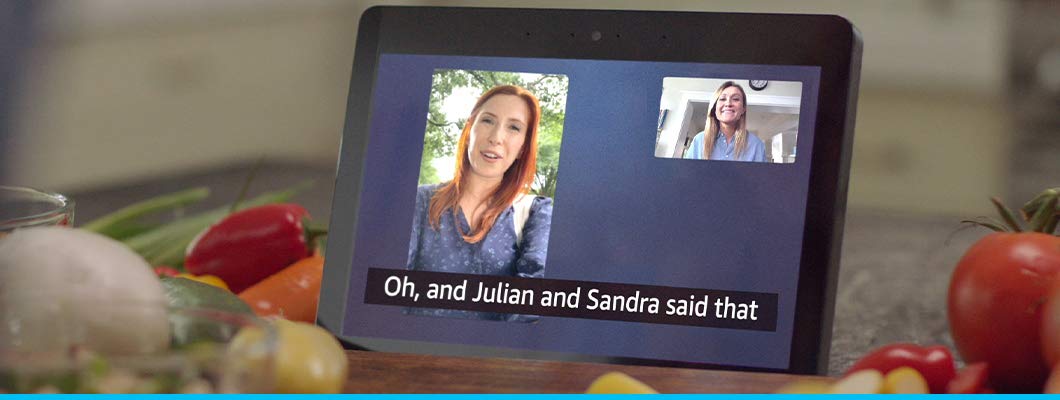

Through our Specialized Telephone Program, we are able to provide Amazon’s Echo Show, which helps people to connect with their loved ones.
To enable Call Captioning, Closed Captioning, or Alexa Captioning for text captions when available, follow these simple procedures.
- Say “Go to setting”, or swipe down from the top of the screen and select Settings.
- Select Accessibility.
- Select Call Captioning, Closed Captioning, or Alexa Captioning.
Call Captioning lets you see captions for Alexa calls in near real time. When you turn on the feature, supported Alexa devices will display captions for Alexa calls including Drop Ins.
Closed Captioning displays text of the audio content of a video on the screen. You can customize how the text appears on Prime Video and other supported video content.
Alexa Captions enables you to see captions for Alexa’s responses on supported Echo devices.
Please note:
- Not all Alexa’s responses support Alexa Captioning.
- If Alexa Captioning and Closed Captioning are both enabled, only Closed Captioning appears when watching videos.
- Font style preferences for each are independent of the other. Changing the style of one doesn’t affect the others.
Please contact us at 1-800-895-4728 or email us at teds@ndassistive.org for more information about the Echo Show and other telephone options through our Specialized Telephone Program.